We support YOLOv9 object detection inferencing via our Serverless Cloud API. Training YOLOv9 is not supported on Roboflow, but you can upload pretrained weights for an existing Project and serve them through the Serverless Cloud API.
For self-hosted deployment, see Roboflow Inference.
YOLOv9 input size is set when you train your model outside Roboflow (typical values: 640x640 or 1280x1280).
YOLOv9 API
Get your API Key
Create a Roboflow account, find your key on the Roboflow API settings page and make it available to your shell:
export ROBOFLOW_API_KEY="your-key-here"Install the dependencies
Install the SDK and supervision for decoding and annotation:
pip install -U inference-sdk supervisionRun the model
This example runs Roboflow's public YOLOv9 model trained on COCO (coco/18), so it works as-is. To serve your own weights, swap in your {workspace}/{model-slug} ID (see Versions, Trainings, and Models).
import os
import cv2
import supervision as sv
from inference_sdk import InferenceHTTPClient

image = sv.load_image_from_url("https://media.roboflow.com/quickstart/traffic.jpg")

client = InferenceHTTPClient(
    api_url="https://serverless.roboflow.com",
    api_key=os.environ["ROBOFLOW_API_KEY"],
)
result = client.infer(image, model_id="coco/18")

detections = sv.Detections.from_inference(result)

annotated = sv.BoxAnnotator().annotate(image.copy(), detections)
annotated = sv.LabelAnnotator().annotate(annotated, detections)

cv2.imwrite("annotated.png", annotated)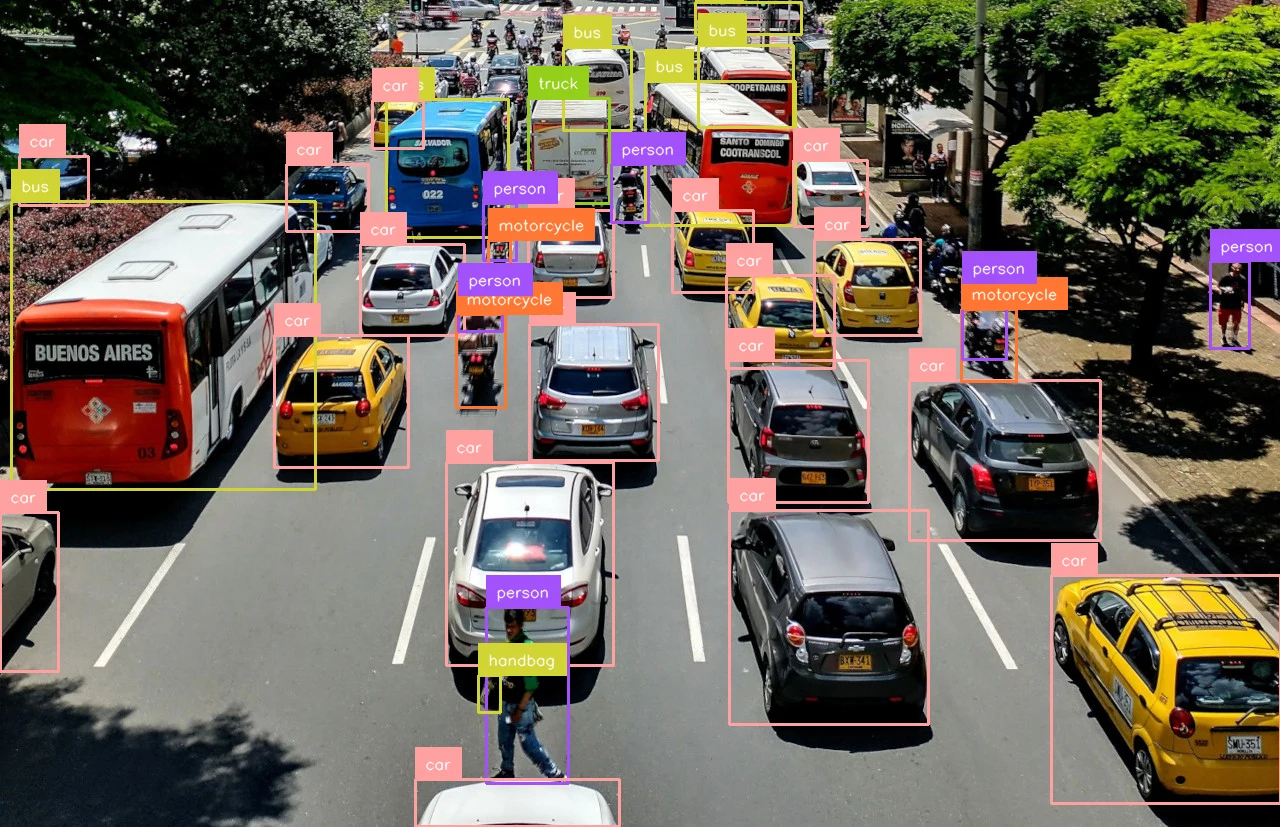
Set api_url to match your deployment target:
https://serverless.roboflow.comfor the Serverless Cloud API.http://localhost:9001for a local Inference server.- Your Dedicated Deployment URL for a private endpoint.