SmolVLM2 is a compact vision-language model from HuggingFace. It accepts an image and a text prompt and returns a text response.
SmolVLM2 is not available on the Serverless Cloud API. Run it on a Dedicated Deployment or self-hosted Inference.
SmolVLM2 API
Get your API Key
Create a Roboflow account, find your key on the Roboflow API settings page and make it available to your shell:
export ROBOFLOW_API_KEY="your-key-here"Install the dependencies
Install the Inference SDK:
pip install -U inference-sdk supervisionRun the model
Set api_url to your Dedicated Deployment URL or a local Inference server.
import os
import supervision as sv
from inference_sdk import InferenceHTTPClient

image = sv.load_image_from_url("https://media.roboflow.com/quickstart/dog.jpeg")

client = InferenceHTTPClient(
    api_url="https://your-deployment.roboflow.cloud",
    api_key=os.environ["ROBOFLOW_API_KEY"],
)
result = client.infer_lmm(
    image,
    model_id="smolvlm2",
    prompt="Describe this image briefly.",
    max_new_tokens=64,
)
print(result["response"])
The code above prints the model response to the terminal:
A man is carrying a dog on his shoulders.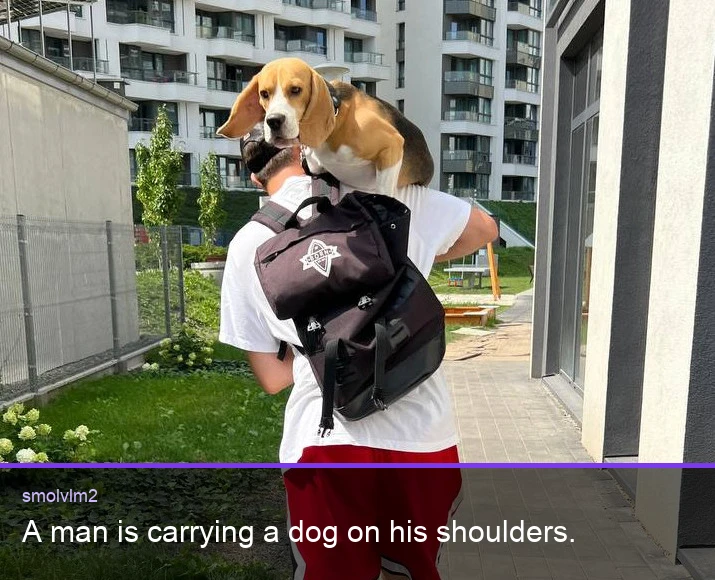
SmolVLM2 inference speed
Latency measured with Roboflow Inference on 1x NVIDIA L4, batch size 1, generating exactly 128 tokens with greedy decoding from a fixed prompt. Latency scales with output length, so use tokens/sec to estimate other lengths.
| Alias | Latency, 128 tokens (ms) | Tokens/sec |
|---|---|---|
smolvlm2 | 3113 | 41 |
Set api_url to match your deployment target:
http://localhost:9001for a local Inference server.- Your Dedicated Deployment URL for a private endpoint.
Run SmolVLM2 with self-hosted Inference
SmolVLM2 can also be loaded directly with the inference package for VQA, document OCR, document VQA, and object counting.
Install the package
pip install "inference[transformers]"Use inference-gpu[transformers] on a GPU machine.
Run the model
from PIL import Image

from inference.models.smolvlm.smolvlm import SmolVLM

model = SmolVLM(api_key="YOUR_API_KEY")

image = Image.open("dog.jpeg")
result = model.predict(image, "How many dogs are in this image?")

print(result)
Execution modes in Workflows
When used in a Workflow, SmolVLM2 runs in one of two modes:
- Local execution: the model runs on your Inference server (GPU recommended).
- Remote execution: the model is invoked over HTTP on a remote Inference server through the
infer_lmm()client method.