Roboflow 3.0 Object Detection
Roboflow 3.0 is Roboflow's in-house model architecture. You train Roboflow 3.0 models on the Roboflow platform and deploy them through the Serverless Cloud API. The sample below runs Roboflow's public COCO model (coco/3) so you can try it immediately. For self-hosted deployment, see Roboflow Inference.
Roboflow 3.0 Object Detection API
Get your API Key
Create a Roboflow account, find your key on the Roboflow API settings page and make it available to your shell:
export ROBOFLOW_API_KEY="your-key-here"Install the dependencies
Install the Inference SDK and supervision:
pip install -U inference-sdk supervisionRun the model
Run detection on a sample image and annotate boxes and labels:
import os
import cv2
import supervision as sv
from inference_sdk import InferenceHTTPClient

image = sv.load_image_from_url("https://media.roboflow.com/quickstart/traffic.jpg")

client = InferenceHTTPClient(
    api_url="https://serverless.roboflow.com",
    api_key=os.environ["ROBOFLOW_API_KEY"],
)
result = client.infer(image, model_id="coco/3")

detections = sv.Detections.from_inference(result)

annotated = sv.BoxAnnotator().annotate(image.copy(), detections)
annotated = sv.LabelAnnotator().annotate(annotated, detections)
cv2.imwrite("output.png", annotated)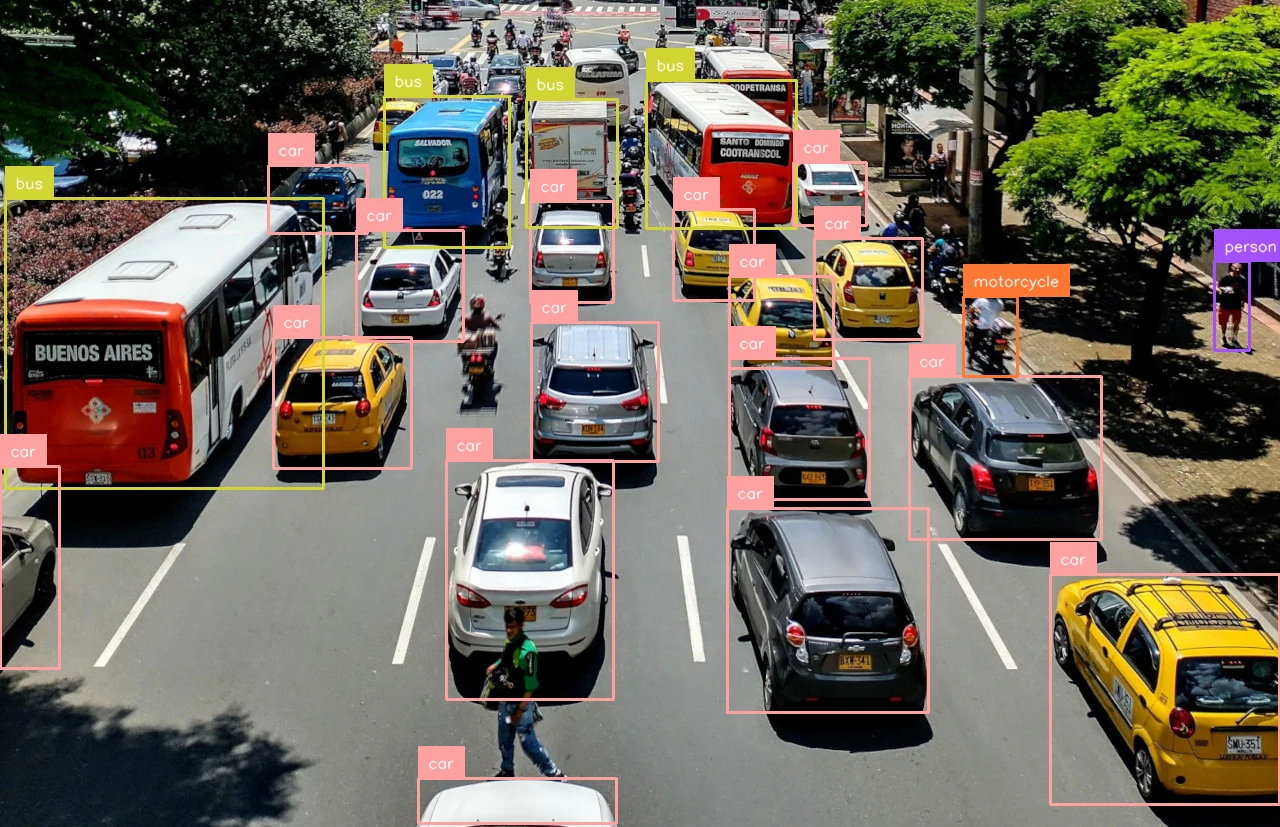
Set api_url to match your deployment target:
https://serverless.roboflow.comfor the Serverless Cloud API.http://localhost:9001for a local Inference server.- Your Dedicated Deployment URL for a private endpoint.
Roboflow 3.0 Instance Segmentation
Train a Roboflow 3.0 instance segmentation model, then replace your-project/1 with your own {workspace}/{model-slug} ID (see Versions, Trainings, and Models). Set your API key and install the dependencies as shown above.
Roboflow 3.0 Instance Segmentation API
import os
import cv2
import supervision as sv
from inference_sdk import InferenceHTTPClient

image = sv.load_image_from_url("https://media.roboflow.com/quickstart/traffic.jpg")

client = InferenceHTTPClient(
    api_url="https://serverless.roboflow.com",
    api_key=os.environ["ROBOFLOW_API_KEY"],
)
# No pretrained aliases: train your own model and replace "your-project/1" with your model ID.
result = client.infer(image, model_id="your-project/1")

detections = sv.Detections.from_inference(result)

annotated = sv.MaskAnnotator().annotate(image.copy(), detections)
annotated = sv.LabelAnnotator().annotate(annotated, detections)
cv2.imwrite("output.png", annotated)
Roboflow 3.0 Keypoint Detection
This example runs the public rf-handpose hand keypoint model, then draws the 21-point hand skeleton. Swap in your own {workspace}/{model-slug}. Set your API key and install the dependencies as shown above.
Roboflow 3.0 Keypoint Detection API
import os
import cv2
import supervision as sv
from inference_sdk import InferenceHTTPClient

image = sv.load_image_from_url("https://media.roboflow.com/docs/hand.jpg")

client = InferenceHTTPClient(
    api_url="https://serverless.roboflow.com",
    api_key=os.environ["ROBOFLOW_API_KEY"],
)
result = client.infer(image, model_id="rf-handpose/1")

key_points = sv.KeyPoints.from_inference(result)

# Hand skeleton: wrist (0), thumb (1-4), index (5-8), middle (9-12), ring (13-16), pinky (17-20)
hand_edges = [
    (0, 1), (1, 2), (2, 3), (3, 4),
    (0, 5), (5, 6), (6, 7), (7, 8),
    (5, 9), (9, 10), (10, 11), (11, 12),
    (9, 13), (13, 14), (14, 15), (15, 16),
    (13, 17), (17, 18), (18, 19), (19, 20), (0, 17),
]
annotated = image.copy()
vertices = key_points.xy[0].astype(int)
for start, end in hand_edges:
    cv2.line(annotated, tuple(vertices[start]), tuple(vertices[end]), (255, 0, 0), 2)
annotated = sv.VertexAnnotator(color=sv.Color.GREEN, radius=5).annotate(annotated, key_points)
cv2.imwrite("output.png", annotated)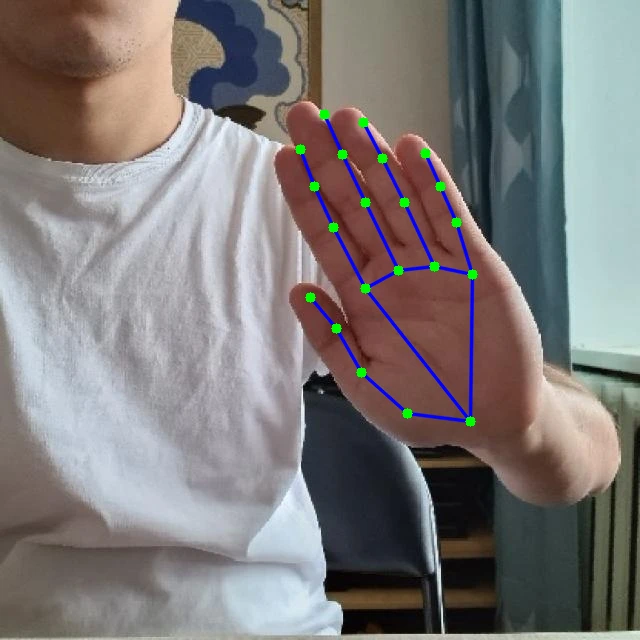
Roboflow 3.0 Classification
Classification responses contain a list of class predictions with confidences, so visualization is not applicable. Read the top class directly from the response. Replace your-project/1 with your trained model ID, and set your API key and install the dependencies as shown above.
Roboflow 3.0 Classification API
import os
import supervision as sv
from inference_sdk import InferenceHTTPClient

image = sv.load_image_from_url("https://media.roboflow.com/quickstart/traffic.jpg")

client = InferenceHTTPClient(
    api_url="https://serverless.roboflow.com",
    api_key=os.environ["ROBOFLOW_API_KEY"],
)
# No pretrained aliases: train your own model and replace "your-project/1" with your model ID.
result = client.infer(image, model_id="your-project/1")

print(f"Top class: {result['top']} ({result['confidence']:.4f})")