Dedicated Deployments are not available on Public (free) tier.
Create a Deployment in the Web Interface
Open your workspace dashboard page, click Deployments on the left panel:
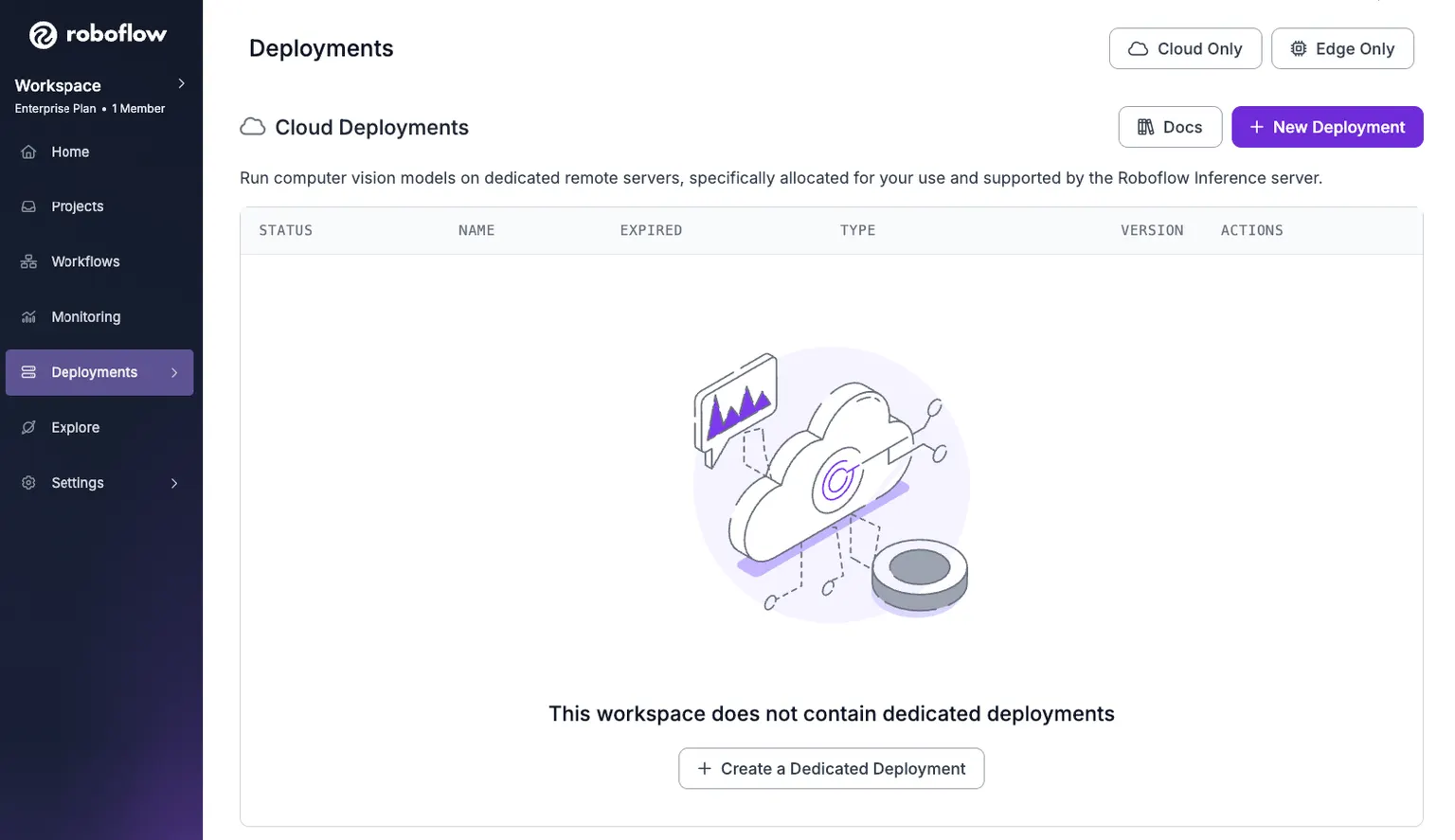
Click the New Deployment button, it brings up the Create a Dedicated Deployment dialog as shown below:
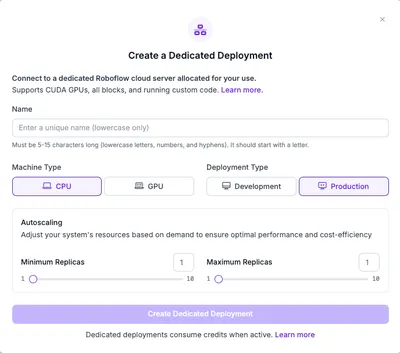
Each of the properties in the dialog are described in the table below. Fill the dialog and click on the Create Dedicated Deployment button. It may take anywhere from a few seconds to a few minutes to provision your deployment.
| Property | Description |
|---|---|
| Name | Choose a unique name (5-15 characters) to identify your Dedicated Deployment. This name will also become the subdomain for your deployment endpoint (e.g., dev-testing.roboflow.cloud).
Tips:
|
| Machine Type | Whether a CPU-only or a GPU dedicated deployment is needed. |
| Deployment Type | Development: ideal for development or experimental purpose, automatically expires in 3 hours. Production: ideal for serving production requests, permanent until manually deleted. |
| Autoscaling | This feature is only for prod-cpu and prod-gpu. |
Create a Dedicated Deployment with the CLI
The roboflow deployment command provides a set of subcommands to manage your Roboflow Dedicated Deployments. Before you proceed, please ensure you have the roboflow CLI installed and configured with your API key, as documented here.
Subcommands
| Subcommand | Description | Example |
|---|---|---|
machine_type | List available machine types (dev-cpu, dev-gpu, prod-cpu, prod-gpu) | roboflow deployment machine_type |
add | Create a new deployment | roboflow deployment add my-deployment -m prod-gpu -e you@example.com |
get | Get details about one deployment | roboflow deployment get my-deployment |
list | List all deployments in your workspace | roboflow deployment list |
usage_workspace | Usage statistics for every deployment in the workspace | roboflow deployment usage_workspace |
usage_deployment | Usage statistics for one deployment | roboflow deployment usage_deployment my-deployment |
delete | Delete a deployment | roboflow deployment delete my-deployment |
log | View logs for a deployment | roboflow deployment log my-deployment -t 60 -n 20 |
Add --help to any subcommand for its full set of options.