You can rename existing Projects in your Roboflow Workspace.
If you rename a Project, your Project URL will change. This means that you will need to update any scripts that call your Project model APIs to use your new Project ID.
To rename a Project, open a Project in Roboflow. Then, click the three dots next to the Project name in the application sidebar:
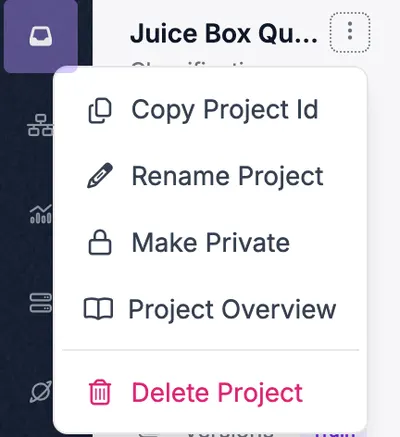
Click "Rename Project". A window will appear from which you can rename your Project:
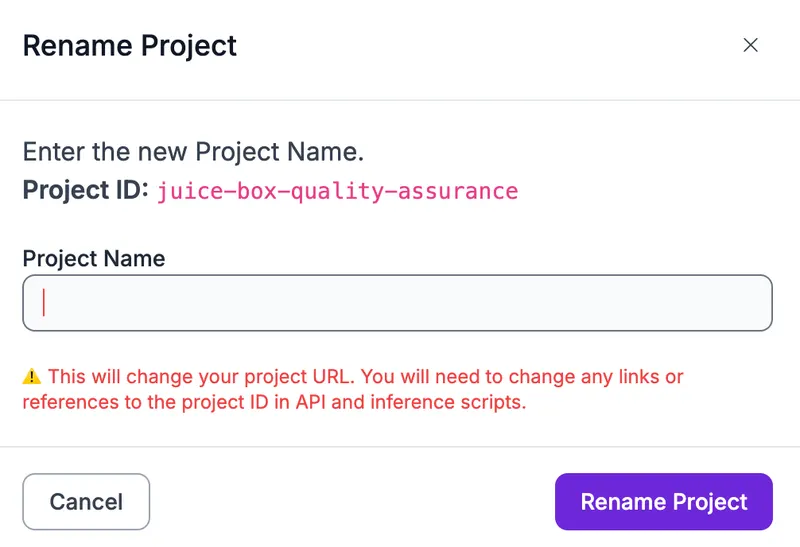
Click "Rename Project" to rename your Project. This action is irreversible.
Your Project name will change immediately. Any scripts that reference your old project ID will stop working.