Audit Logs is a premium feature.
For up-to-date information on our plans and their associated features, see our pricing page.
Audit Logs give administrators a tamper-resistant record of significant actions in a Roboflow workspace - who performed an action, what changed, and when. Events cover team membership, roles, projects, datasets, workflows, devices, API keys, OAuth apps, and exports.
Accessing Audit Logs
- Open your workspace.
- Go to Workspace Settings.
- Select Audit Logs from the sidebar.
The Audit Logs page opens on the Logs tab by default.
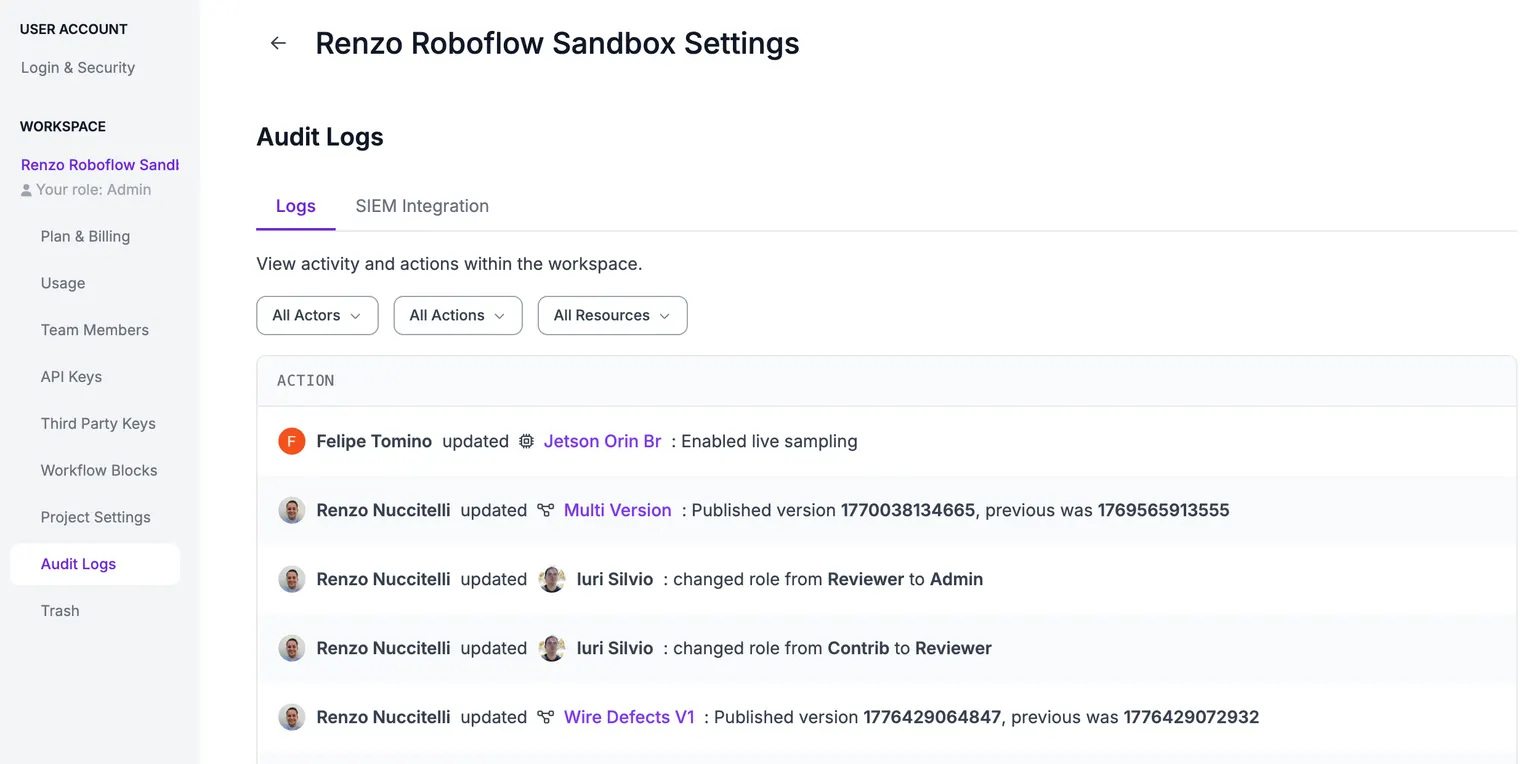
Reading the log
Each row represents a single event and includes:
| Column | Description |
|---|---|
| Timestamp | When the action occurred (UTC). |
| Actor | The user, API key, or system that performed the action. |
| Action | What was done (created, updated, deleted, role changed, etc.). |
| Resource | The object that was acted on (member, project, workflow, device, role, …). |
| Details | Click a row to see the full change set, including previous and new values. |
Filtering
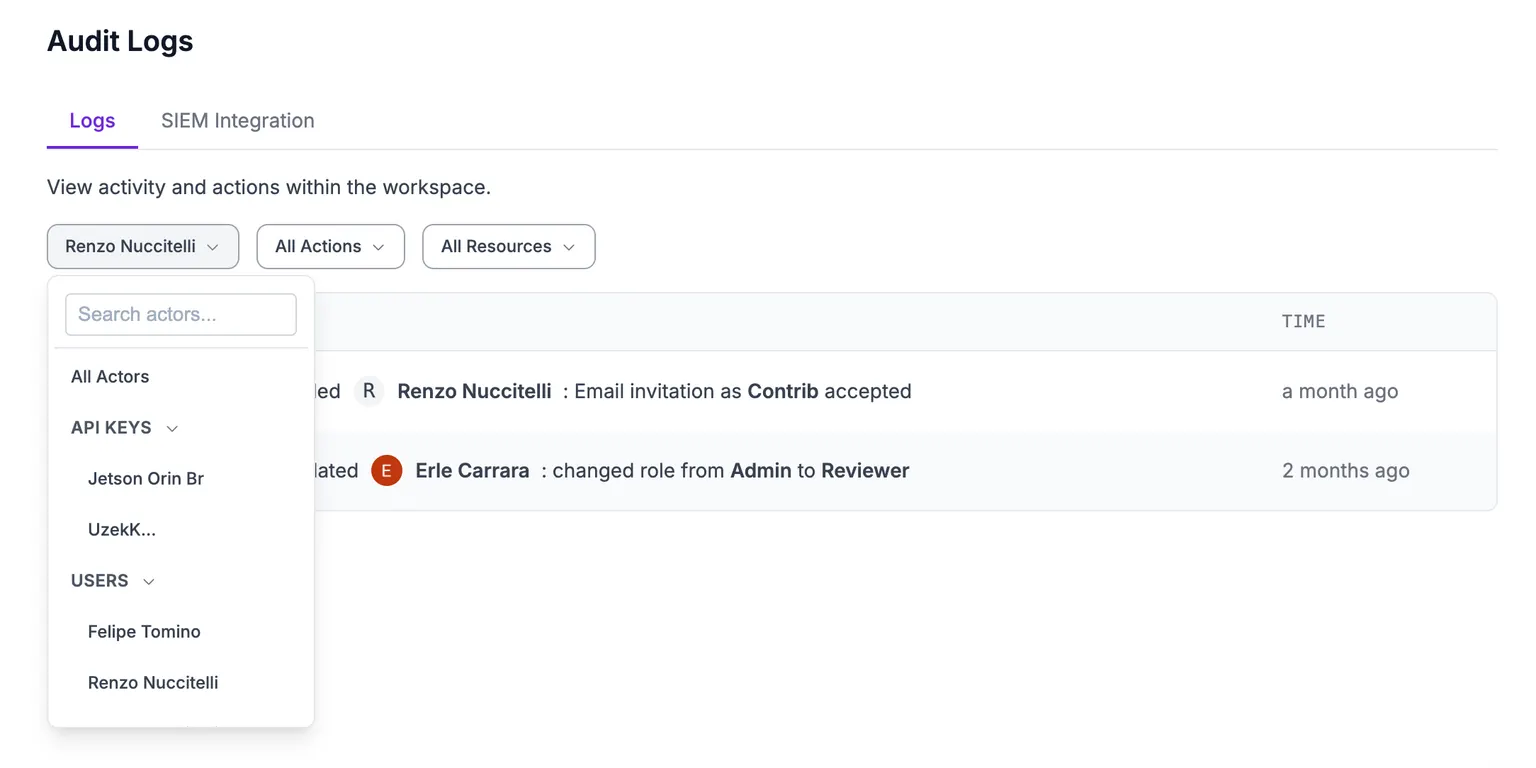
Three filters at the top of the table narrow the view:
- Actor - filter by an individual user, API key, or by actor type.
- Action - filter by action type (e.g.
member_added,project_deleted). - Resource - filter by a specific resource or by resource type.
The table loads more entries as you scroll. Audit Logs are queryable for the last 365 days by default.
What's recorded
Audit Logs cover the following categories of activity:
| Category | Examples |
|---|---|
| Team members | Member added or removed, invite sent or cancelled, role changed, default role changed, folder access changed |
| Custom roles | Custom roles enabled, role created, updated, or removed |
| Projects | Project created, updated, deleted, or restored |
| Datasets & images | Source images uploaded, images deleted, image approved, image added to or removed from a dataset, image split assigned, version deleted or restored |
| Workflows | Workflow created, updated, published, deleted, or restored |
| Training & exports | Training run started or stopped, dataset exported, search exported, model weights downloaded |
| Devices & streams | Device created, updated, deleted; stream added, removed, paused, resumed, updated; device, command issued |
| API keys | API key created, updated, revoked, or rolled; covers workspace, folder, and device keys. Updates track renames, permission changes, metadata changes, default key assignment, and enable/disable. |
| OAuth apps | OAuth app created, updated, revoked; client secret rotated; app installed or install revoked; user consent granted or revoked; app access policy changed |
| SIEM configuration | SIEM Integration settings updated |
SIEM Export
SIEM Integration is a premium feature, available to select Enterprise plan customers. Talk to our Sales team to get access to SIEM Integration.
SIEM Integration streams enriched audit log events to your SIEM via OpenTelemetry (OTLP), so you can centralize Roboflow activity alongside the rest of your security telemetry.
Supported transports
| Protocol | Default port | Endpoint format |
|---|---|---|
| gRPC | 4317 | Base URL only - https://collector.example.com:4317 |
| HTTP/Protobuf | 4318 | Full path - https://collector.example.com:4318/v1/logs |
Configuring SIEM Integration
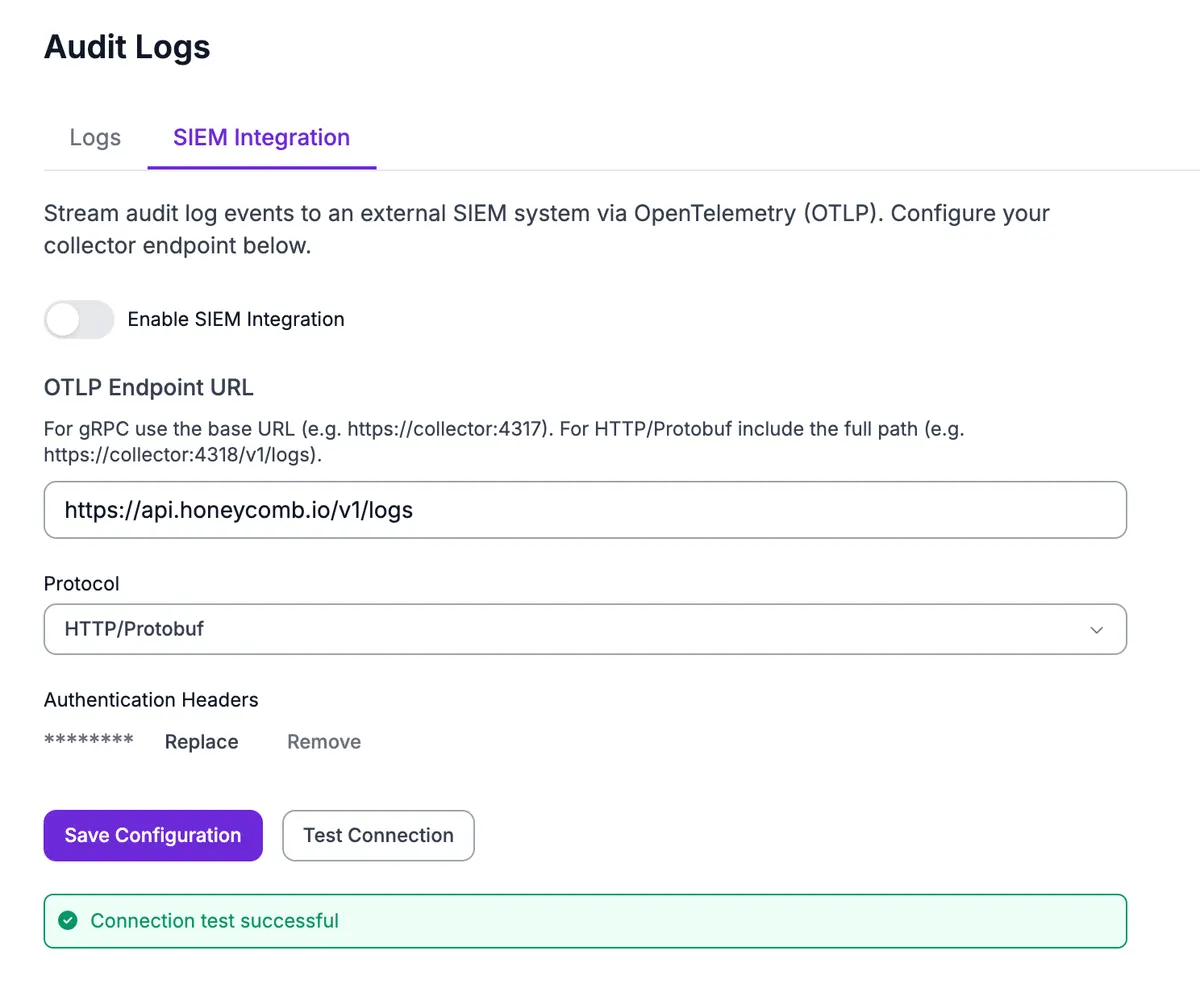
- In Workspace Settings → Audit Logs, open the SIEM Integration tab.
- Toggle Enable SIEM Integration.
- Enter your OTLP Endpoint URL.
- Select the Protocol (gRPC or HTTP/Protobuf).
- (Optional) Enter Headers as JSON - typically a bearer token, e.g.
{"Authorization": "Bearer your-token"}. - Click Test Connection to verify the collector accepts the request.
- Click Save.
Test Connection
Test Connection sends a minimal OTLP request to your collector using the values currently in the form (without saving them). A successful test confirms the endpoint is reachable and the headers authenticate correctly.
<br>
Troubleshooting
- Connection refused / timeout - check the endpoint host and port, and that your collector is reachable from the public internet.
- 401 / 403 from the collector - verify the
Authorizationheader value and that the bearer token is valid. - TLS errors - ensure the collector presents a certificate trusted by public CAs.
- HTTP/Protobuf path mismatch - for HTTP/Protobuf, the endpoint must include the full logs path (e.g.
/v1/logs); for gRPC, use the base URL only.
Changes you make on the SIEM Integration tab are themselves recorded in Audit Logs as siem_config_updated events.
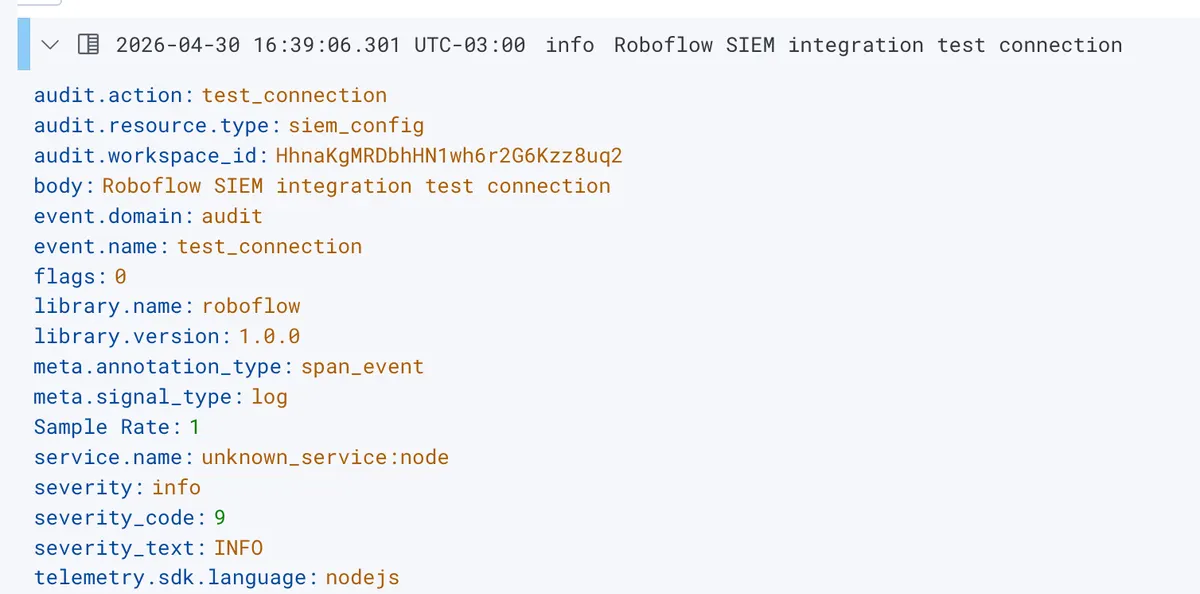
Test Connection sends a real OTLP log record to your collector using the values currently in the form (without saving them). So you can verify the integration end-to-end on the SIEM side, not just confirm the connection opened.
Within a few seconds, the test event appears in your SIEM. The screenshot below shows it arriving in Honeycomb; the same event will be visible in any OTLP-compatible backend (Splunk, Elastic, Datadog, an OTel collector, etc.) - search for audit.action = test_connection.<br>