To delete your Workspace, click on "Settings" button on the left sidebar and then on the "Delete Workspace".
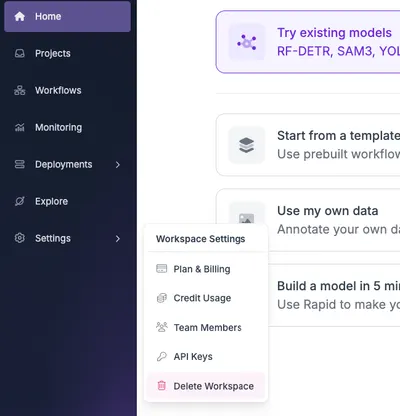
You can only delete non-default Workspaces.
Workspaces on an Enterprise plan cannot be deleted from Settings. The "Delete Workspace" button is hidden, and the API returns a 403 error. Contact support@roboflow.com to delete an Enterprise Workspace.
Each user gets the default Workspace which can't be manually deleted. You can also delete your account in app.roboflow.com/settings/account, which will delete both your account and the default Workspace that's linked to your account.